
UX and UI design · Singapore
UX and UI Design tested
Design decisions are cheap to change on paper and expensive to change in code. Wireframes first, clickable prototypes before development, and behaviour data after launch.
Where evidence replaces opinion
We design for web and mobile products used by Singapore businesses and their customers. The process has four fixed checkpoints: a wireframe that settles structure, a prototype people can click before anything is built, a design system that keeps later screens consistent, and behaviour analytics after launch that shows what visitors actually did.
The order matters more than any single tool. Changing a layout on paper costs a conversation. Changing it after development costs a sprint and a round of regression testing. Everything on this page exists to move decisions to the cheaper end of that scale.
Wireframes before anything visual
A wireframe settles structure before anyone debates colour. It shows what is on the page, in what order, and what the user is meant to do next.
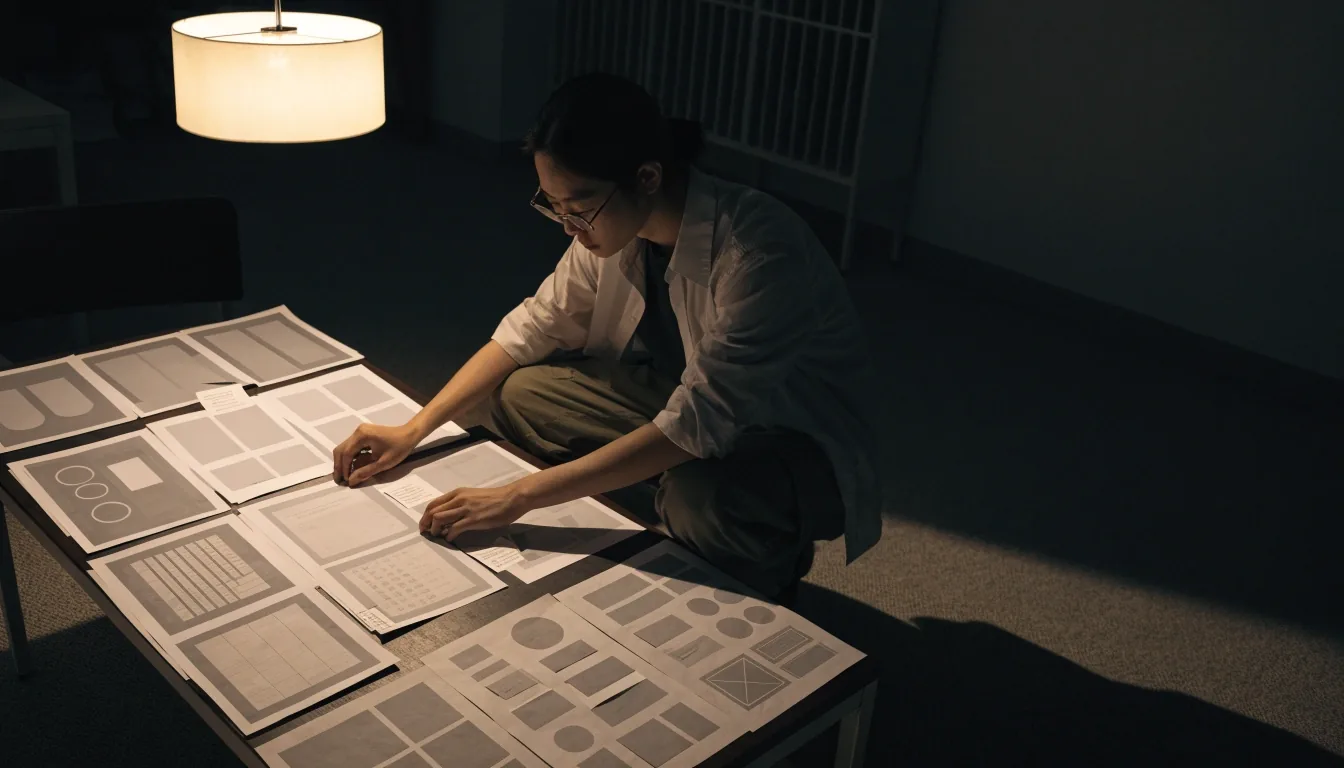
Stakeholders react to wireframes quickly because there is nothing decorative to argue about. The conversation stays on the question that matters: is this the right thing to put on the screen, in this order?
We treat wireframes as the first real design decision, not a formality. Each one is annotated with the job it does, the states it needs to handle, and what happens when the data is empty or slow to load.
Prototypes you can click
A clickable prototype lets people use the flow before it exists. Testers find the confusing step within minutes, which is exactly the point. Prototypes also settle internal disagreements faster than meetings, because everyone reacts to the same thing instead of describing it from memory.
We build them at the fidelity needed to answer the question at hand, and no higher. A grey-box flow is often enough to test navigation and labelling. When the question is about hierarchy, contrast, or how a form feels on a phone, the prototype goes up to visual fidelity so the answer is honest.
What a prototype session answers
- Where the flow stalls or doubles back
- Whether labels mean what we think they mean
- Which step needs more guidance
- What can be removed without losing the task

Design systems and consistency
Once a product has more than a handful of screens, consistency becomes a maintenance problem. A design system defines the components, spacing, and states once, so new screens reuse them instead of reinventing them. This reduces development time on later features and keeps the interface coherent as the team grows.
It also makes handover to a new designer or developer far less painful. Instead of reading every screen, they read one reference: buttons, inputs, cards, empty states, error states, spacing steps, and the rules for when to break them.
Components
Buttons, fields, tables and cards defined once with their hover, focus and disabled states, so no screen ships a one-off version.
Spacing and type
A fixed step ladder for space and a small set of text sizes. Pages stop drifting apart as different people build them.
States and edge cases
Loading, empty, error, long content, and permission cases documented before build, not discovered during it.

Designing for the smallest screen first
Mobile-first design in practice
Mobile-first means designing the smallest screen first and adding complexity upward. It forces priority decisions early, because there is no room to include everything. In Singapore, a large share of traffic arrives on phones, often on mobile data. Designing for that constraint first tends to produce simpler, faster interfaces on every screen size.
In practice that changes small things that add up. Navigation collapses to the tasks people actually repeat. Long forms split into steps with visible progress. Tap targets are sized for a thumb before a cursor. Heavy images get a lighter counterpart for slow connections. Each of those decisions is easier to make on a narrow canvas and harder to retrofit afterwards.
Behaviour analytics after launch
After launch, opinion should give way to evidence. Hotjar and similar tools record how visitors click, scroll, and move through a site. Heatmaps show where attention lands. Session recordings show where people hesitate or abandon. These tools are standard in conversion work because they surface friction that no review meeting predicts.
We read the data alongside the goal, not in isolation. A drop-off on a checkout step and a drop-off on a contact form need different fixes, and the recording usually shows which one is happening before anyone proposes a redesign.
Heatmaps
Show which parts of a page get attention and which sit untouched below the fold.
Session recordings
Show the moment a visitor pauses, backtracks, or leaves a form half finished.
Device split
Separates phone behaviour from desktop behaviour, because the same page often fails on only one of them.
Funnel steps
Line up each step of a sign-up, booking, or checkout flow and see where volume is lost.
Conversion work and UX audits
A UX audit reviews a live product against its goals and identifies the specific points where users drop off. Conversion rate optimisation then tests changes against real traffic. The order matters: audit first, then prioritise, then test. Changing five things at once tells you nothing about which one worked.
Review the live product
Walk the main tasks end to end on the devices people actually use, and note every point of hesitation.
Prioritise by impact
Rank the findings by how much of the goal they block and how much work each fix needs.
Test one change at a time
Run the change against real traffic long enough to read a result, then keep it or roll it back.
Keep what the data supports
Document the result so the next round starts from a known position instead of a hunch.
Handover and developer collaboration
Design that cannot be built is not finished. We involve developers during the design phase so components, states, and edge cases are resolved before build starts. Handover includes the design system, annotated screens, and a working session with the people who will write the code.
This is where a lot of timeline risk gets removed. A component that is ambiguous on a mockup becomes a week of rework once it is in a codebase. A thirty-minute conversation during design usually prevents that, and it costs almost nothing at that stage.
Handover set
Design system file, annotated screens, and written notes on behaviour.
Working session
A joint walkthrough with the build team before the first line is written.
Build support
We stay reachable while it is built, so small decisions do not stall.
Questions we hear before a design engagement
What do you need from us to start a UX review?
Access to the live product and a short description of what the main task is supposed to be. If analytics are already installed, a look at the last few weeks of traffic helps us see which pages carry the work. You do not need a finished brief or a list of fixes before we talk.
How long does a wireframe and prototype round take?
It depends on how many screens the flow touches and how many people need to review it. A single flow with a handful of screens moves quickly. A multi-role product with different states for each user type takes longer, mostly because more decisions have to be settled before the prototype is worth testing.
Do we have to build a full design system?
No. A system earns its cost once a product has enough screens that consistency becomes hard to hold by memory. Below that point, a smaller shared set of components and spacing rules is usually enough, and it can grow into a fuller system later without rework.
What if we already have analytics and recordings?
Then the audit starts faster. We read what is already there before proposing changes, and we look for the friction the data actually shows rather than the friction people remember. Existing recordings often point at the fix well before a redesign is on the table.
Can you work with a product we did not design?
Yes. Most UX work happens on products that already exist. We review what is there, keep what is working, and change the parts that block the goal. Inherited interfaces are also where design systems help most, because the components are already inconsistent and the rules make them settle down.
Working with our design team
Innomedia Technologies Pte Ltd runs UX and UI work from #06-04, Westech Building, Pandan Loop, Singapore 128424. A typical engagement starts with a short review of the current product and its goals, then a written summary of what we would change first and why.
We also handle web development, mobile app development, and e-commerce work, so design decisions can be carried straight into build by the same team. Working hours are Monday to Friday, 9:00 AM to 6:00 PM.
Reach the studio
#06-04, Westech Building, Pandan Loop, Singapore 128424
Monday to Friday, 9:00 AM – 6:00 PM
Send a link to the product and a line about what it should do. We will come back with what we would look at first.